
Where to Recycle Electronics in Worcester: TVs, Computers, Batteries, Cables
Here’s the exact Worcester answer: most electronics should not go in your recycling bin. Worcester residents typically handle TVs, computers, monitors, and other e-waste through approved drop-off or special programs— and batteries need extra caution because the wrong type can create a fire risk.
- Electronics don’t belong in the blue bin. Treat TVs, computers, printers, and cords as special handling items.
- Data first: wipe personal info from computers/phones before recycling or donating.
- Batteries: basic household alkalines may be trash-safe in some cases, but rechargeables/lithium need special handling.
- Use official/local resources: Worcester drop-off guidance + Massachusetts recycling directories help you find the right outlet.
What Counts as “Electronics” for Recycling?
If it has a cord, a circuit board, a battery, or a screen, treat it as e-waste. The most common Worcester items:
- TVs, monitors, and screens
- Computers, laptops, tablets, printers
- Phones, routers/modems, game consoles
- Cables, chargers, power strips
- Batteries (alkaline, lithium, rechargeable, tool batteries)
Where to Recycle Electronics in Worcester (Local Options)
Start with Worcester’s official bulk waste / disposal guidance for the clearest local direction on what’s accepted and how it’s handled. Worcester’s bulk waste page includes details for items like computers, monitors, and TVs. (Always confirm current rules before you load the car.)
Official Worcester resource: Worcester Residential Drop-Off Center — Bulk Waste Disposal
Quick “where should this go?” table
| Item | Best Worcester Route | Notes (avoid problems) |
|---|---|---|
| TVs / monitors | Use Worcester drop-off guidance / approved outlet | Protect screens. Don’t curbside-recycle. Confirm accepted types/sizes first. |
| Computers / laptops | Drop-off / approved e-waste outlet | Do a data wipe first (see checklist below). Remove loose batteries if possible. |
| Printers | Drop-off / approved outlet | Remove ink/toner if required by your outlet. |
| Cables / chargers | Reuse/donate first, otherwise approved outlet | Keep cords together (bag/box) to prevent tangles. |
| Household alkaline batteries (AA/AAA/C/D) | Often trash-safe; confirm current local guidance | Worcester’s HHW guidance notes some household batteries can go in trash bags. |
| Lithium / rechargeable batteries | Special handling / battery recycling outlet | Do NOT put in recycling bin. Tape terminals; store in a non-metal container. |
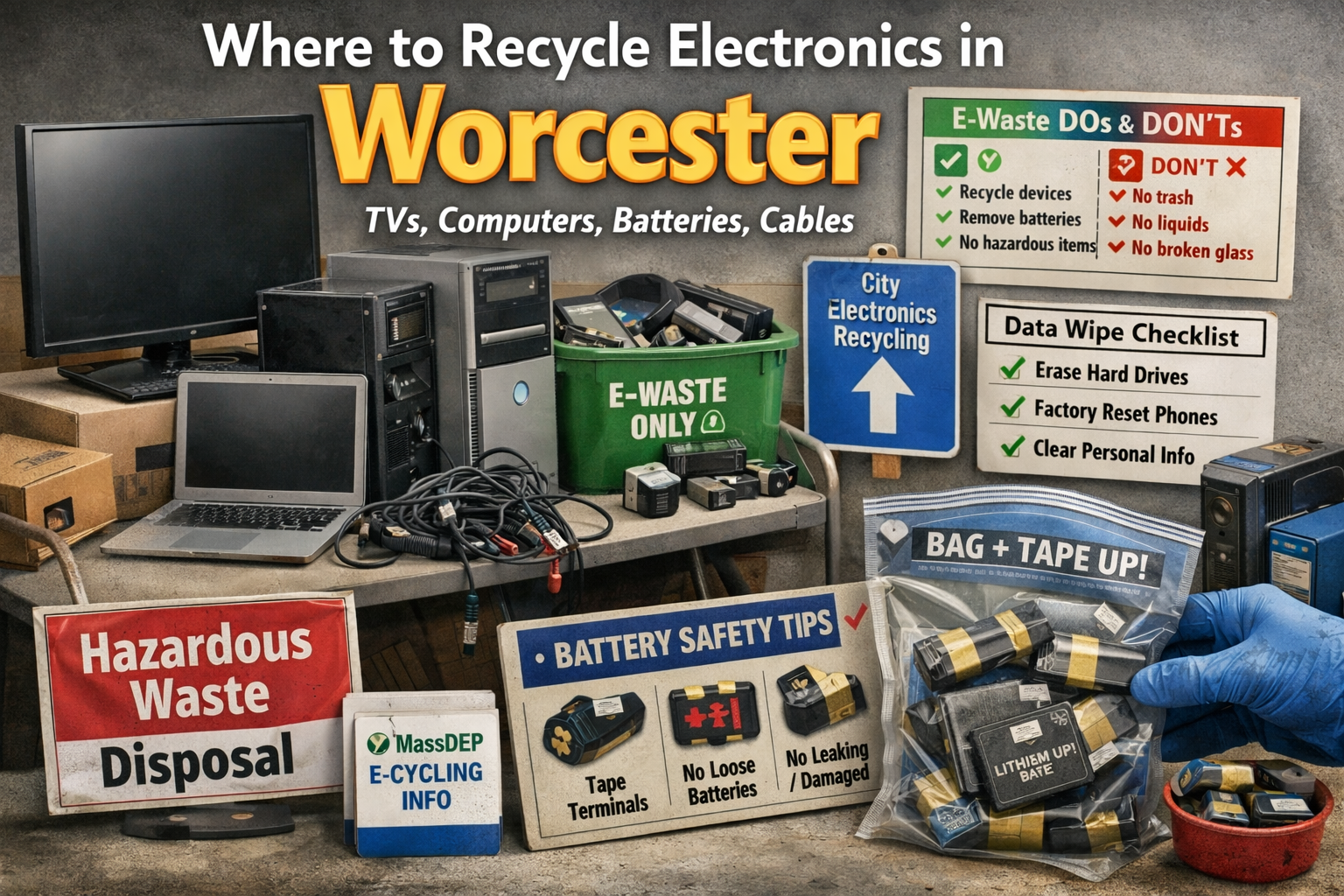
E-Waste Dos & Don’ts (Avoid Failed Drop-Offs)
Do
- Keep it intact (don’t smash screens or crack casings).
- Bundle cords so they don’t tangle or snag.
- Separate batteries if you can do so safely.
- Confirm acceptance before you drive (rules and fees can change).
Don’t
- Don’t put electronics in curbside recycling (especially cords/chargers).
- Don’t toss lithium/rechargeable batteries in the bin—they need special handling.
- Don’t leave e-waste at the curb where it can get wet, broken, or scavenged.
Data Wipe Checklist (Do This Before You Recycle)
If you’re recycling computers, phones, tablets, or anything that stored personal info, do a wipe first. This keeps your data safe and makes donation/recycling smoother.
Quick checklist
- Back up files/photos you want to keep.
- Sign out of accounts (email, cloud, app stores).
- Remove SIM / SD cards and any external drives.
- Factory reset the device (settings → reset).
- For computers: reset/erase storage using the operating system’s “reset” tools.
- Label items if they’re donation-ready vs recycle-only.
Battery Handling Guide (Worcester + Massachusetts Basics)
Batteries are the #1 “don’t guess” item in electronics cleanup. Worcester’s household hazardous waste guidance notes that some household batteries can go in Worcester trash bags, but battery type matters—especially rechargeable and lithium batteries.
Simple rule
- Single-use alkaline (AA/AAA/C/D): often handled differently than rechargeables; confirm your local guidance.
- Lithium + rechargeable: treat as special handling—keep out of the recycling bin and manage carefully.
Safety mini-checklist (prevents shorts/fires)
- Tape terminals on lithium and rechargeable batteries (especially 9V and tool batteries).
- Store in a non-metal container (like a small plastic tub).
- Don’t crush or puncture batteries.
- Keep away from heat until you drop off.
Massachusetts battery note (bin vs special handling): RecycleSmartMA battery guidance
FAQs: Electronics Recycling in Worcester
Can I put electronics in my Worcester recycling bin?
No—electronics (especially cords, chargers, and devices with batteries) should be kept out of curbside recycling and handled through approved drop-off or specialty outlets.
Where do I recycle a TV or computer in Worcester?
Start with Worcester’s official bulk waste/disposal guidance for the Residential Drop-Off Center: Bulk Waste Disposal (official).
What should I do before recycling a laptop or desktop?
Back up files, sign out of accounts, remove SIM/SD cards, and perform a factory reset (or OS reset/erase) before drop-off or donation.
Are AA/AAA batteries handled the same as lithium or rechargeable?
No. Battery type matters. Worcester’s HHW guidance notes household batteries in a specific way, while lithium/rechargeable batteries often require special handling. When unsure, separate and confirm first.
What’s the safest way to store batteries before drop-off?
Tape terminals (especially 9V, lithium, and tool batteries), store in a non-metal container, keep away from heat, and don’t crush or puncture them.
Where can I look up weird items like cables, chargers, and mixed electronics?
Use Massachusetts recycling directories/resources (like RecycleSmartMA) to find nearby options and accepted items: RecycleSmartMA.
Need Help With a Cleanout?
If electronics are part of a bigger cleanup (garage, basement, move-out, office clear-out), we can help you separate restricted items and get everything out efficiently.
Heads up: rules and fees can change. Always confirm with Worcester’s official pages before drop-off.